Table of Contents
A first contribution on the last mile of educational media infrastructure — focusing on devices, operating systems, native apps, digital boards, and the connected classroom.
Digital educational media infrastructure is often thought about from the perspective of the platform: identities, interfaces, catalogues, licences, rights, distribution, single sign-on, standards. All of that is necessary. But it is not enough.
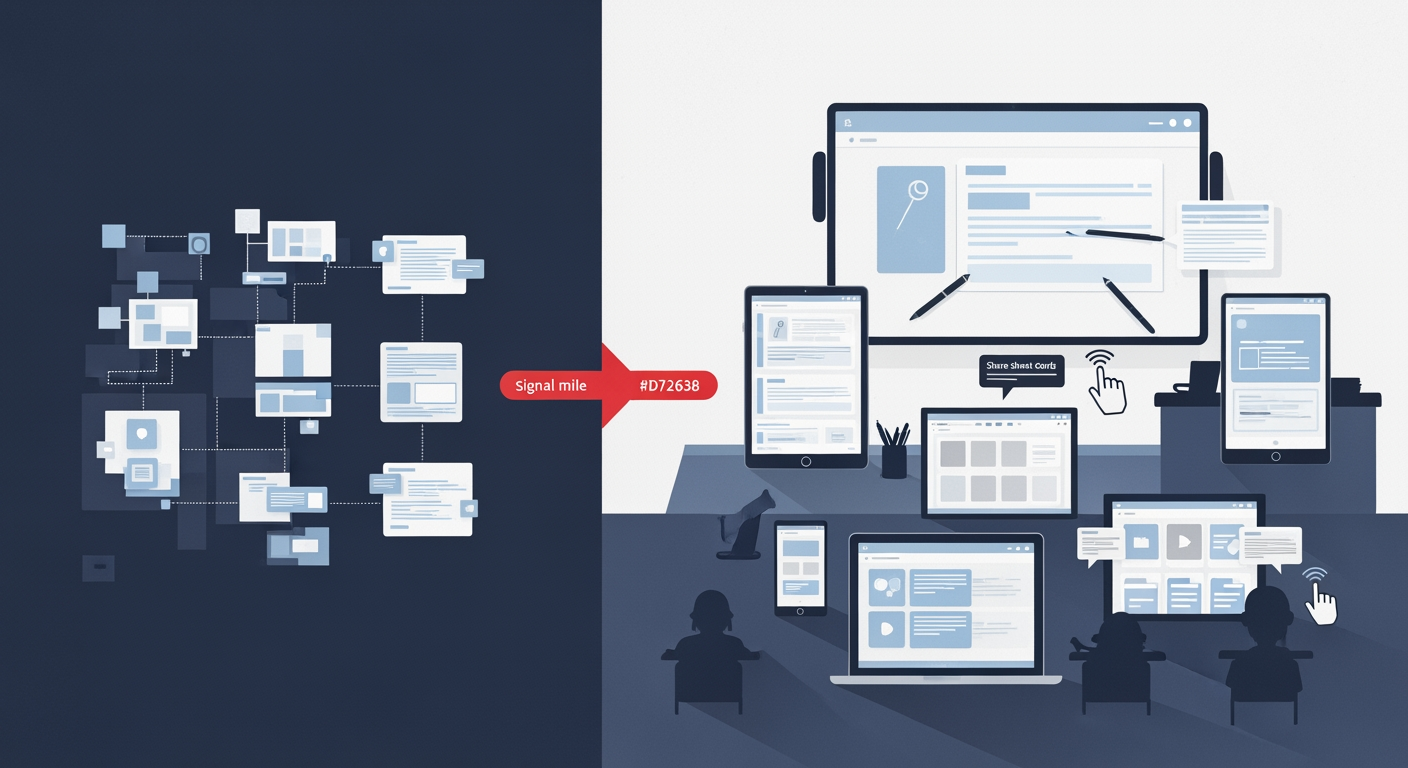
In the end, success is not decided in the architecture diagram, but in the last mile: where teachers and students actually work with educational media and digital offers. On tablets. On laptops. On the digital board. In the classroom. In the concrete teaching situation, where digital media should not first have to be searched for, logged into, opened, and explained, but should be available as a matter of course.
This article is a first look at that last mile — with a focus on technology. Other perspectives, such as organization, support, didactics, or procurement, can follow. The core thesis is: if educational media infrastructure is to arrive in everyday practice, we need to think more carefully about how close applications really are to users. And for that, looking only at the delivery technology of the “web application” is not enough.
The web is powerful — but not always close enough #
The current focus of the educational media infrastructure of the German states, and of many state clouds, is almost entirely on web applications. That is understandable. Web applications are cross-platform, comparatively easy to update, and easy to access. A browser is available almost everywhere. For federal infrastructures, different school authorities, heterogeneous device landscapes, and many providers, this is a major advantage.
But web applications also have a weakness: they live in the browser.
That sounds banal, but it is crucial for classroom use. A web application has to be opened actively. I have to open the browser, know an address or find a bookmark or a link in a school portal, log in, perhaps switch between tabs, and remain in the right context. The application is not automatically part of the operating system, not naturally part of my working environment, and often not present where users are primarily active.
A Progressive Web App, or PWA, can reduce this distance. It can sit on the home screen, feel partly like an app, and enable offline-capable or faster use. But a PWA, too, first has to be proactively installed or added. It also remains dependent in many areas on what browsers and operating systems make available to web applications.
If the goal is to bring educational media as close as possible to teachers and learners, then we should not only ask: “Can the application be reached in the browser?” We should also ask: “Is it where teaching and learning actually happen?”
Personal devices change expectations #
This is not necessarily about who owns a device. What matters is how a device is used.
Especially with personal devices, expectations change. Users get used to their operating system, to gestures, files, notifications, share dialogs, pen input, local storage, and typical interaction patterns. An application that fits into this environment feels more immediate. It needs less explanation. It is found again more quickly. It can work better with other apps.
This is where the advantage of native apps lies.
A native app is not automatically better than a web application. But it can be closer to the device. And in educational contexts, that closeness can matter because it can bring the application closer to users’ needs.
What native apps can do better than PWAs today #
Using iOS as an example makes particularly clear where native apps can have advantages over PWAs. The exact boundary changes with each operating system version and depends heavily on the browser, operating system, and device management. Still, the comparison shows why the technical form of an educational application is more than a packaging question.
| Aspect | PWA | Native iOS app | Meaning for educational media |
|---|---|---|---|
| Access and installation | Can be used through the browser and added to the home screen. | Is installed as an app and is more present on the home screen, in app search, and in system contexts. | The fewer proactive steps are required, the more likely an application is to be found again and actually used in class. |
| File integration | Can upload and download files, but often remains more strongly tied to the browser or app context. | Can integrate with the Files app and the native File Provider. | Materials and work states become part of the familiar file and working environment. |
| Sharing and “Open in …” | Sharing is possible, but depending on browser and platform it may be limited or less consistent. | Can deeply integrate system-wide share sheets, document pickers, and “Open in …” workflows. | Content moves more quickly from one source into the next step of work. |
| Offline use | Possible, but dependent on service workers, caching strategy, and browser behavior. | Can implement local storage, synchronization, and conflict handling in a more controlled way. | Teaching remains more robust when Wi-Fi or network connectivity is not ideal. |
| Pen, touch, and gestures | Generally possible, but often more constrained by web APIs and browser behavior. | Can use system-level pen, touch, drag-and-drop, and gesture interactions more directly. | Marking, sketching, writing, and editing feel more natural. |
| UX and operating-system conventions | Can be designed to feel app-like, but often remains within the web paradigm. | Can adopt the operating system’s navigation, menus, accessibility features, multitasking, and document logic. | Users find their way around more quickly because the app builds on familiar patterns. |
| Background processes and synchronization | Possible only to a limited extent and platform-dependent. | Offers stronger options for controlled background updates and local synchronization. | Work states can be prepared, updated, or synchronized later more reliably. |
| Device functions and accessibility | Many functions are available, but not always fully or consistently. | Can more tightly integrate system functions, accessibility features, camera, microphone, and device settings. | Applications can better adapt to individual usage situations and support needs. |
| Maintenance and reach | One code base reaches many platforms and can be updated quickly. | Requires platform-specific development, testing, and distribution. | Native apps are especially worthwhile where deeper integration creates real pedagogical or organizational value. |
Some areas remain particularly relevant for native apps:
Deeper integration into the file system
Native apps can integrate with the Files app and the native File Provider. This means that educational media, work states, or materials are not visible only within one application, but as part of the familiar file environment. Users can open, store, move, share, or use files from other apps.
For educational applications, this is central: materials should not disappear into an isolated web interface, but be integrated into working processes.
Better integration into sharing and opening workflows
Native apps can make much deeper use of system-wide share dialogs, “Open in …” functions, and document workflows. This is especially relevant when teachers combine materials from different sources or when students need to pass on results.
In the classroom, what matters is not only whether a file can be displayed. What matters is how quickly it gets into the next step of work.
Familiar operating-system UX
A native iOS app can follow the familiar interaction patterns of iPadOS and iOS: navigation, gestures, context menus, drag and drop, Split View, Stage Manager, system-level document views, and accessibility features. This reduces cognitive friction.
This is particularly important in schools. An application competes not only with other applications, but also with attention, time pressure, classroom dynamics, and very different levels of digital competence.
Stronger support for pen and touch interaction
Native apps can often implement pen input, handwriting, drawing, annotation, and precise touch gestures more directly and more performantly. For educational media, this is more than convenience. It affects central didactic practices: marking, commenting, sketching, solving, matching, writing, presenting.
Better options for offline and background functions
PWAs can work offline, but native apps often have more robust ways to control local data storage, synchronization, and background processes. This matters especially in schools with fluctuating network quality.
An educational application should not work only when the infrastructure is ideal. It should also be able to deal with the conditions of everyday school life.
System-level accessibility and device functions
Native apps can work closely with accessibility features, system font sizes, VoiceOver, dictation, camera, microphone, sensors, or device settings. Web applications can be accessible too — and they must be. But native apps can use certain operating-system functions more directly and consistently.
These points do not mean that every educational application must immediately be developed as a native app. But they show that web and app are not interchangeable shells for the same content. The technical form influences how close an application is to the ways users actually work.
Example SVS app: when educational media become part of the working environment #
One concrete example is the SVS iOS app, which I initially implemented as a proof of concept. It shows what advantages can emerge when clouds are not thought of only as web applications, but as native applications on a personal device.
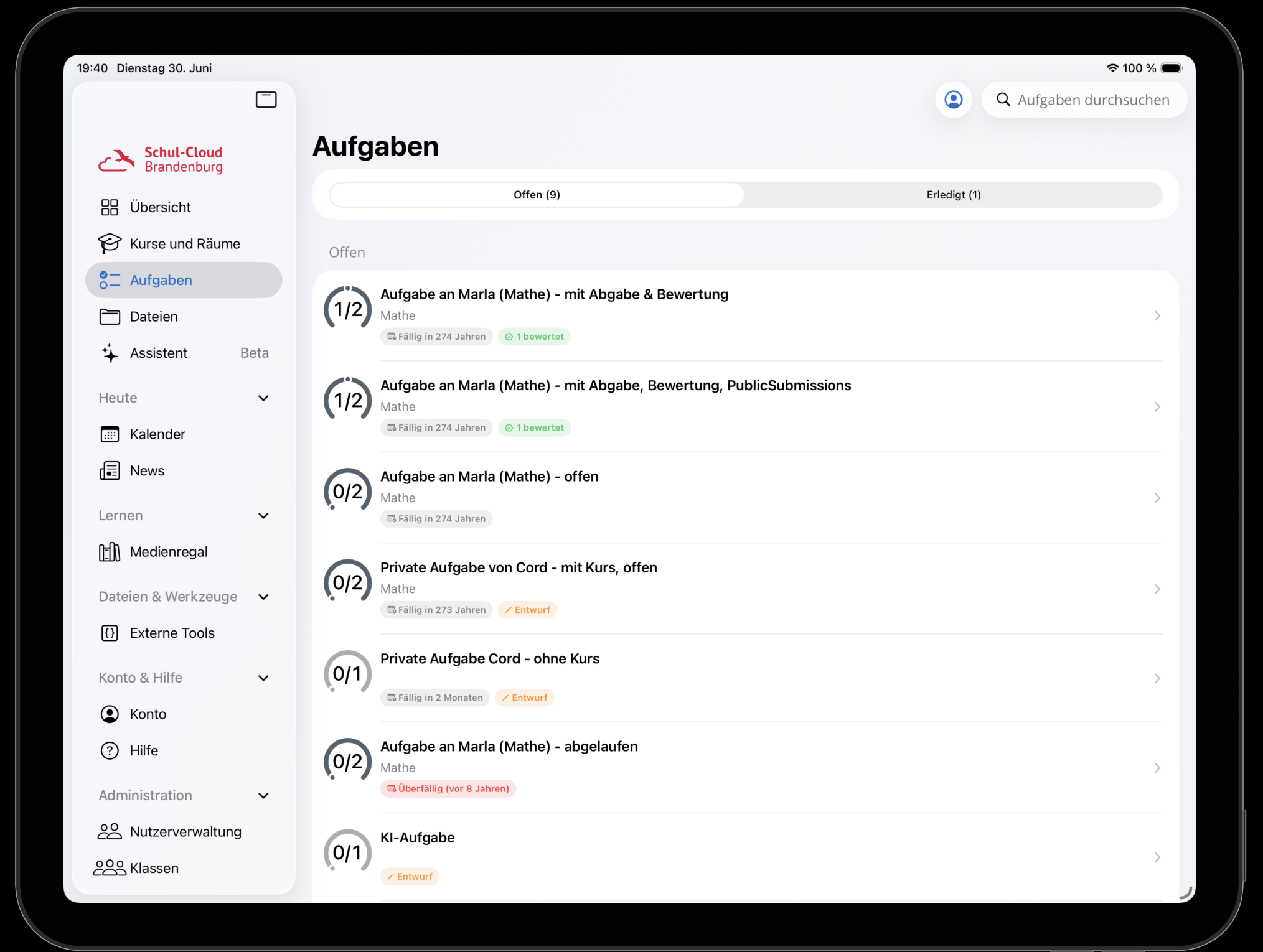
Prototype of the Schulcloud Brandenburg iPad app: educational media and cloud functions are not only accessed through the browser, but designed as a native working environment on the personal device.
One important point is integration into the native File Provider. This allows materials and work states to be more strongly integrated into the familiar iOS file environment. For users, this does not feel like a special world, but like part of the device: files can be found where one expects files to be. They can flow into other work processes. The app becomes not only a place where content is displayed, but part of the personal learning and working environment.
Then there is the UX question. Anyone familiar with iOS or iPadOS already brings expectations: how navigation works. How documents are opened. How to share, annotate, go back, switch between apps, or work with pen and touch. A native app can take up these expectations. It does not have to reinvent everything, but can fit into existing routines.
This is an underestimated factor for educational media. Good infrastructure is not only technically interoperable. It is also close to action. It reduces detours. It makes the right thing easy at the right moment.
The second last mile: digital boards #
Alongside personal devices, there is a second place where the last mile is decided: digital boards.
Here, too, it is not always enough to simply display web applications larger. Digital boards are not large laptops on the wall. They have their own requirements.
First, there is input. Digital pens, touch gestures, multi-finger operation, handwriting, annotations, spontaneous sketches, and quickly switching between presenting and interacting are part of everyday use at the board. Applications must be optimized for this. An interface that works on a laptop may be too small, too sluggish, or too imprecise on the board.
Second, there is visibility. A digital board is viewed from several meters away. Text has to be larger. Contrast has to be clearer. Controls have to be easy to recognize. Content has to work in landscape format and in large rooms. What is clear on a tablet can become unreadable on a board.
And finally, the digital board is a social place. It is not just a personal display, but a shared reference point in the classroom. Applications for digital boards therefore need to be thought about differently from applications for individual devices. They need to support presentation, interaction, and shared attention.
From the individual device to the classroom ensemble #
The view of the last mile should therefore go even further: away from the individual device and toward the interplay of devices in the classroom.
A teacher works at the digital board. Students have their own devices. Why should these devices be considered in isolation from one another?
Educational media infrastructure becomes exciting where actions on the board and activities on student devices are thought together. For example:
- A teacher opens a material on the board, and learners receive the matching task directly on their devices.
- A highlight, question, or selection on the board can be taken up on student devices.
- Students respond to a task, and the results become visible on the board in aggregated or selected form.
- A board image is not only displayed, but can be passed on as a structured work state.
- The teacher guides the shared lesson flow while learners interact individually or in groups.
This changes the perspective: educational media are no longer just content that can be accessed somewhere. They become shared working objects in a locally connected classroom.
Infrastructure must be thought through to actual use #
Educational media infrastructure needs standards, interfaces, and web applications. But if it is to be effective, it must be thought through to the last mile. This last mile is technical, but not only technical. It concerns usage situations, devices, operating systems, forms of input, rooms, and routines. An application that can be reached in the browser has not automatically arrived in the classroom.
That is why we should broaden the view:
- From web applications to native apps where operating-system integration creates real value.
- From responsive interfaces to applications designed for digital boards and large shared displays.
- From individual devices to classroom ensembles in which teachers and learners work together across multiple devices.
The decisive question is not: web or app? The better question is: which technical form brings educational media closest to the concrete pedagogical action?
If educational media infrastructure takes this seriously, it does not end at the platform boundary. It reaches onto the device, onto the board, and into the interaction between teacher and class.