Table of Contents
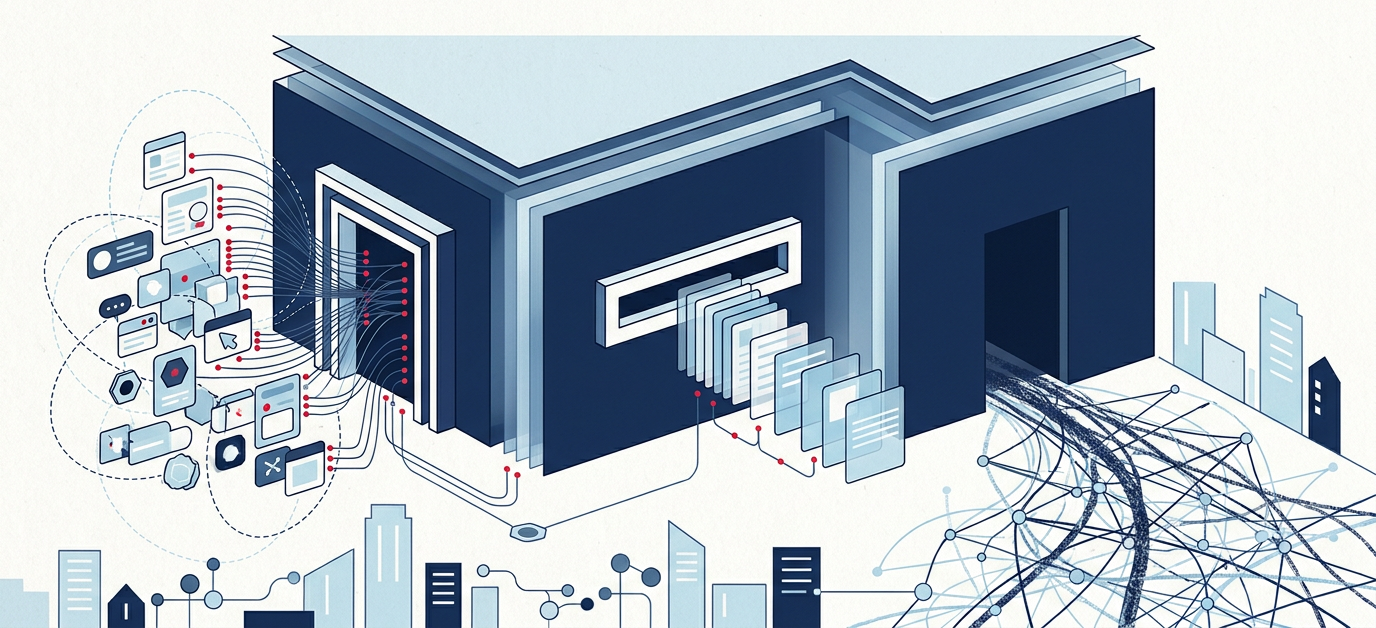
Thesis: The question isn’t whether an AI can read a website. The question is which door an agent comes into a web application through — and whether anyone picked that door.
On a Sunday evening, a teacher tells their assistant: “Find me three worksheets on photosynthesis for year seven, openly licensed, and put them in my collection.”
From here, one of three things happens. The agent calls a tool that the portal provides for exactly this purpose. Or it fetches a machine-readable version of the content and works with that. Or it takes over a browser, locates the search field on screen, types, scrolls, clicks — like a human, only less patient.
Those are three doors. The third one is always open. It’s also the slowest, the most expensive, and the only one where there is no controlling what the agent ends up doing. And in almost every application I know, it’s the only one that exists.
Rendering is a transitional problem. The ability to act isn’t #
When I started looking into this, I checked the obvious thing first: is the content in the HTML? At mundo.schule, the detail page for a specific worksheet returns 751 bytes and an empty <div id="app">. The page assembles its content in the browser.
I now consider that the less interesting finding. Because it’s solving itself. Google’s AI answers inherit Googlebot’s rendering, Microsoft Copilot inherits Bing’s. Computer-use agents drive a real browser with a real JavaScript engine anyway — for them a single-page app isn’t an obstacle, it’s the normal case. And at the delivery layer, agent-friendly formats are moving into the CDNs. Betting today that agents will permanently be unable to execute JavaScript is betting against the infrastructure.
What doesn’t solve itself is the other question: what can an agent actually do in an application? Rendering is a delivery concern. The ability to act is a design decision. The first one I’ll eventually buy from a vendor. The second one I have to make myself.
So I no longer sort this topic by visibility. I sort it by doors.
Most requests are no longer a person #
Before opening the doors one by one, it’s worth looking at the order of magnitude. It decides how expensive the wrong door is.
Share of global HTML traffic (June 2026)
- Humans
- Automated: crawlers, bots, agents
AI agent requests made on behalf of people
| Metric | Value |
|---|---|
| Automated share of HTML traffic (June 2026) | 57.5 % |
| Human share of HTML traffic (June 2026) | 42.5 % |
| AI agent requests, Q1 2026 | 12.3 bn |
| AI agent requests, Q2 2026 | 17.7 bn |
| of those from agentic browsers (April 2026) | approx. 74 % |
In early June 2026, Cloudflare Radar counted more automated than human requests to HTML pages for the first time: 57.5 percent against 42.5 percent. Cloudflare CEO Matthew Prince made the crossover public on 3 June 2026 — considerably earlier than he had predicted himself. It isn’t driven by classic search engines. HUMAN Security puts the year-over-year growth of agentic requests at roughly 7,851 percent.
Two caveats belong with that, or the number turns into a claim. It describes HTML requests at one provider that sees about a fifth of the web — not one’s own website, and not one’s own portal. And “automated” is a collective term: training crawlers, retrieval bots, and agents acting for people are all in there together.
For this post, though, a different number matters more. Not how many machines collect content to train on, but how many request a page while a person is waiting for the answer. Cloudflare has separated exactly that into three purposes since July 2026: search, agent, training. DataDome counted 17.7 billion AI agent requests in the second quarter of 2026, 45 percent more than the quarter before, and more than 30 billion since the start of the year.
The route those requests take is the real finding. In April 2026, nearly three quarters of agentic traffic came from agentic browsers. In June, Comet led with 47.1 percent, with the Claude extension for Chrome second at 24 percent. These requests don’t knock on an interface. They drive a user interface. Door 3 isn’t the exception today; it’s the normal case.
That training crawlers are out there in parallel remains a separate and genuinely important question — in May 2026, 51.8 percent of AI crawler requests served training and only 9.3 percent served search. How content ends up in a model corpus is decided there. But for the question of which door to build, it isn’t the decisive figure.
For the doors, that means something concrete. When most requests come from machines, door 3 isn’t just the worst door. It’s also the most expensive bill, on both sides. An agent clicking through an interface burns a multiple of the bandwidth, compute, and model tokens for the same result a tool call delivers in a single request. Build neither door 1 nor door 2 and you’re subsidising the least efficient form of your own usage.
Door 1: MCP — the door I build and control myself #
The Model Context Protocol describes an application’s capabilities as tools: with names, typed parameters, and described return values. An agent doesn’t have to guess how the search works. It reads that search_media exists, which filters are allowed, and what comes back.
The difference from everything else is control. With a tool call, it is traceable who did what with which parameters. It can be versioned, logged, permissioned, and switched off. And it costs a fraction: one call with a structured response instead of thirty screenshots.
It also matters now that an agent can find this door on its own. For authentication, MCP builds on OAuth 2.1, and a server publishes its metadata per RFC 9728 at /.well-known/oauth-protected-resource; from there the client finds the corresponding authorization server. For describing the server itself, a “server card” at /.well-known/mcp is establishing itself — not a ratified standard yet, but the direction is clear: an agent should be able to find an application and authenticate without a human filling in a config file first.
You don’t always have to write that server by hand. Microsoft’s NLWeb takes the route through data a website already publishes — schema.org markup, RSS — and turns it into /ask and /mcp endpoints. Every NLWeb instance can act as an MCP server. If you have structured data, you’re closer to an agent interface than you think.
With MUNDO, that’s exactly what interests me. The machine-readable substrate has been there all along. Behind the portal sits the documented SODIX GraphQL API v3. My own crawler counted there on 24 August 2026: 140,175 active metadata records, 215,868 in total, plus 1,985 sources, 972 publishers, and 21 vocabulary lists. This is not a data problem. An MCP server here would be a thin layer on something that already exists — not a new backend.
And this is no longer a thought experiment: an internal proof of concept for a MUNDO MCP server already exists — not public, but built. It demonstrates exactly the point at issue here — with the API underneath, the tool layer is a manageable piece of work. The open question is no longer whether it can be done. The open question is which tools belong on the list, and who may call them with which permissions.
Three tools would be enough to fulfil that Sunday-evening request:
| Tool | Purpose |
|---|---|
search_media | subject, year group, license, media type, free text — structured result list with IDs |
get_record | full metadata for an ID, including license and source |
add_to_collection | put a resource into the signed-in person’s collection |
And here’s the part that often gets missed: this list is a product decision, not a technical one. It does not mirror the internal API one-to-one to the outside. It describes the tasks that should be supported — and leaves out what no agent should do. A tool that isn’t offered is the clearest boundary an operator can draw. Clearer than any terms of use.
The critical question: why MCP if there’s an API? #
You have to sit with this question, or MCP becomes an end in itself.
The honest starting point: MCP is not a better API. It’s a different distribution channel for the same capabilities. An API answers the question of how I call something. MCP answers the question of how a foreign model knows it may call it — and how it does so on behalf of a particular person. Those are two different problems.
For the first variant there is a running example. AIS.chat, the FWU’s AI chat for schools, uses the MUNDO interface directly today. No MCP server. And that’s the right call. Both sides sit with the same operator, who knows in advance which queries are needed, can shape how results are presented pedagogically, handle errors precisely, and control latency and cost. No model has to guess which tool fits. In that constellation, a pre-integrated API is faster, cheaper, and more predictable than any tool call.
Then there are MCP’s costs, which enthusiasm tends to bury. Tool descriptions occupy context, on every call. A model sometimes picks the wrong tool, or fills parameters half-guessed — a non-determinism a hard-wired integration doesn’t have. Tools that return text from foreign sources are an attack surface for prompt injection. Versioning is uncomfortable, because nobody knows which clients have already learned the tool names. And honestly: many MCP servers end up being a thinner, worse-documented shell around an API that already existed.
The case where MCP wins anyway is a different one — and for a public portal the more important one. No operator can pre-integrate with every assistant a teacher happens to use. Nobody knows in advance whether they open ChatGPT, Claude, Copilot, or whatever their school authority provides. Building a separate integration for each of those clients doesn’t scale. Pointing them all at the web frontend is door 3. MCP is the answer to “the callers are unknown” — together with per-person delegated authentication, which an API with a server token doesn’t provide.
So for me this doesn’t collapse into one decision. It splits into a division of labour. The same domain logic, two deliveries. An API for the integrations one builds and owns. An MCP server for the agents one will never meet. AIS.chat is the example for the first; the internal MUNDO PoC is a start on the second. Have only the first and you’re well integrated and unreachable for everything else. Have only the second and you give away quality exactly where you could control it.
Door 2: The same content, less packaging #
The second door is the cheapest and the one least often built: same address, different format.
An agent fetching a detail page doesn’t want the navigation, the cookie notice, the tracking, and 400 kilobytes of CSS. It wants the record. That’s precisely what HTTP content negotiation is for. If a client asks with Accept: text/markdown, it gets Markdown; if a browser asks, it gets the page. Same URL, different representation.
This isn’t a hack anymore. Cloudflare ships it as a zone-level feature for agents, Vercel documents the pattern for Next.js, and coding agents like Claude Code send the header on their own. The analyses I found report up to 80 percent fewer tokens for the same content.
Token cost is only half the argument, though. The other half is reliability. Sending 400 kilobytes of layout along invites misreading — an agent that has to find the license statement between a cookie banner and a filter bar will sometimes find the wrong one. A clean record can’t be misread.
Two notes on this that I think matter.
First: same URL, no parallel universe. A second set of pages under .md creates duplicates, and Google and Bing have explicitly warned against that. Content negotiation means one address, several representations.
Second: for educational resources, the structured version isn’t optional — it’s the standard. The Allgemeines Metadatenprofil für Bildungsressourcen (AMB) by DINI-AG KIM, version 2023-10-19, builds on schema.org and the LRMI extensions. The specification requires a metadata record to be interpretable as JSON-LD, and names the delivery explicitly: embedded via <script type="application/ld+json">, or as a separate resource with Content-Type: application/ld+json. Deliver AMB in a spec-compliant way and you’ve already half-built door 2 for your records — and you need no AI argument for it, just a metadata argument.
And llms.txt? I consider it substantially overrated. An Ahrefs analysis of 137,000 websites found that 97 percent of existing files are never fetched. No major provider has committed to using it as a signal; Google’s Gary Illyes declined, and John Mueller compared it to the devalued keywords meta tag and called it a “temporary crutch, perhaps to save some tokens”. As a crutch, though, it does work: as a table of contents for an agent already standing at the door. Useful for developer documentation. Not a visibility lever.
Door 3: Computer use — the interface is an API whether you like it or not #
Build neither door 1 nor door 2 and the agent takes door 3. It starts a browser and uses the application like a person. That always works. It’s just expensive, slow, and invisible to me.
How an agent “sees” while doing that is currently split, and that split has practical consequences. OpenAI’s Computer-Using Agent works primarily from screenshots. Microsoft’s Playwright MCP instead hands the model an excerpt of the accessibility tree — compact text with a role and a name per element. ChatGPT Atlas, per OpenAI’s own publisher FAQ, uses ARIA roles and names, the same markup screen readers live on, with the explicit advice to make your page more accessible. The stronger agents combine both.
Which means: the accessibility tree is no longer a side track for a minority. It is a machine interface. An icon button without an accessible name is a button an agent can’t name — and presses unreliably as a result.
What actually makes agents fail on interfaces is fairly concrete:
- Overlays and nested dialogs. If the snapshot doesn’t reflect stacking order correctly, the agent clicks background elements while a dialog is open.
- Tiny click targets. For 24-pixel buttons, a vision-based agent has to make its grid so fine that the labels obscure the interface. It then reasons about positions instead of elements.
- Hover-only menus and drag-and-drop-only interactions. Neither has a fallback path for an agent.
- Infinite scrolling. No end, no page number, no state to come back to.
- State only in the client. What I can’t link to, an agent can’t revisit and can’t cite.
- Errors shown only as a toast. A message that disappears after three seconds never happened, as far as an agent is concerned.
MUNDO comes out mixed here, and the good part deserves saying: the addresses are clean. A record lives at /details/<id>, a search at /suche?q=..., and result lists have a page number in the route. State is linkable — which is more than many applications offer. In the shipped frontend bundle, on the other hand, I count four aria-labels, no tabindex, and no <form> element. That’s an indication, not a verdict; the reliable check would be the live accessibility tree. But the direction is clear enough.
Which brings me to the part of this whole topic I like best: improving door 3 means improving accessibility. Semantic elements, real forms, accessible names, keyboard operability, errors as text, state in the URL — that’s the same list that has been in every accessibility audit for fifteen years. A computer-use agent is essentially a screen reader user with less patience and a budget.
Do that work for people and you get the agents for free. Not the other way around. And that’s the order I’d justify it in, too.
Agents need identity, not just access #
The hard part starts as soon as an agent stops reading and starts acting. Then it isn’t about crawler rules, it’s about delegation: who allowed whom to do what, for how long, and how does one take it back?
The mechanism is ready — OAuth 2.1, protected resources per RFC 9728, narrowly scoped permissions, revocable tokens. The policy behind it is not ready. Every operator has to write that themselves.
The distinction I consider most important: a training crawler, a retrieval bot, and an agent acting on behalf of a signed-in person are three different things. Block all three with one line in robots.txt and you’re blocking your own users. With openly licensed educational media it becomes doubly absurd: there, visibility is the entire point, not the risk.
For MUNDO the boundary would be quick to describe. An agent acting for a teacher should search, fetch records, add them to a collection, export to an LMS. It should not push material into the editorial review queue. That boundary doesn’t belong in a policy. It belongs in the tool list.
Checklist: which doors are built? #
Foundation — is there a machine-readable version at all? #
- Does every meaningful content object have a stable, linkable address?
- Is there a representation of that object usable without a browser (JSON, Markdown, JSON-LD)?
- Does the server answer unknown addresses with
404instead of200plus app shell? - Does every page have its own meaningful
<title>?
Door 1 — tools (MCP) #
- Has it been decided which tasks an agent may perform — and which explicitly not?
- Are the tools named after tasks, rather than mirroring the internal API?
- Do parameters and returns have a schema and a comprehensible description?
- Authentication via OAuth 2.1, metadata per RFC 9728 at
/.well-known/oauth-protected-resource? - Permissions narrowly scoped, tokens revocable, calls logged?
- For content-heavy portals: considered NLWeb as a shortcut instead of hand-writing a server?
- Is it separated which callers are pre-integrated (API) and which stay unknown (MCP)?
- Writing tools idempotent, or gated behind a confirmation step?
Door 2 — output formats #
- Does the same URL return a lean text version for
Accept: text/markdown? - Content negotiation rather than a second set of pages under
.md(no duplicates)? - One
application/ld+jsonblock per content page with the fitting schema.org type? - For educational resources: AMB-compliant JSON-LD with license, subject, educational level, audience?
- License machine-readable, not just a graphic or footer text?
- If a public API exists: documented and discoverable (OpenAPI linked)?
-
llms.txtonly if you have developer documentation — and not as a substitute for the rest?
Door 3 — interface (computer use) #
- Does every interactive element have an accessible name (icon buttons included)?
- Semantic landmarks and a clean heading hierarchy?
- Real
<form>elements withlabel,name,autocomplete? - Everything operable by keyboard — no hover-only or drag-only paths?
- Click targets large enough to be unambiguous in a screenshot?
- Dialogs with correct stacking order and a focus trap that also releases?
- Errors and results as text in the document, not only as a disappearing toast?
- Result lists with page numbers instead of infinite scrolling?
- Filter and search state in the URL?
Identity and governance #
- Training crawlers, retrieval bots, and agents acting on someone’s behalf treated separately?
- For openly licensed content: deliberately opened rather than reflexively blocked?
- Rate limits that slow abuse but not legitimate delegation?
- Agent access distinguishable from human access in your logging — so effects can be measured?
- After every release, spot-checked that tools and formats still respond?
Conclusion #
If I sum this up for myself: a web application will be used through one of these three doors. That decision isn’t made by its operator. It’s made by the people delegating tasks, and by their agents.
All that’s left to decide is which doors exist. Nobody has to build door 3; it’s simply there. Door 2 is cheap and still gets overlooked. Door 1 is the only one where it’s settled in advance what may happen inside the application — and therefore the only one an operator should actually want.
MUNDO is a good example of this, because neither the data nor the standards are missing there. 140,175 active records sit behind a documented API, the metadata profile requires JSON-LD anyway, the addresses are clean, and an internal proof of concept for an MCP server exists. What’s missing is the decision about which tasks an agent may perform on behalf of a teacher. That isn’t a rendering question. That’s a product question.
And this reaches far beyond educational media. If most requests are already automated today, then LLMs and bots are no longer a fringe phenomenon or an abuse case. They are the most important audience of future web applications. You don’t build for an audience by accident. You build them an entrance that was meant for them.
LLMs and bots are the most important audience of future web applications. They deserve access paths built for them — not the fire exit our interfaces happen to leave open.
Transparency: I verified the technical findings about mundo.schule myself on 9 September 2026; the inventory figures come from my own SODIX crawler, measured on 24 August 2026. AI assisted with drafting and structuring. Responsibility and approval remain with me.